
Kids Space, for parents

A safe learning space you set up for your child

Kids Space is part of Zakifi's Family module. Your child gets lessons, games, stories and missions. You decide what is on, for how long and when, and you can delete it at any time.

Coming soon on Google Play

  • Your child has no account, and Kids Space does not ask for their name, age, photo or email
  • No ads, and the Leave button asks for your grown-up PIN
  • Free, in English, Arabic and Urdu
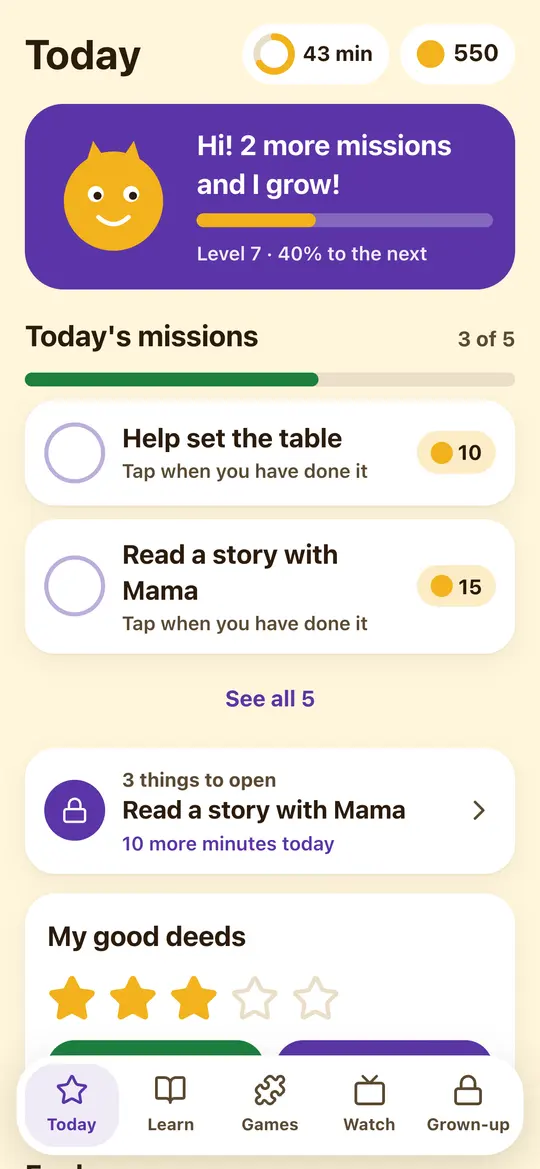
Kids Space home set up by a parent: time left today, coins, today's missions and good-deed stars

What your child does

Short, playful activities with big pictures and read-aloud voices. Games have no clock, so your child can take their time.

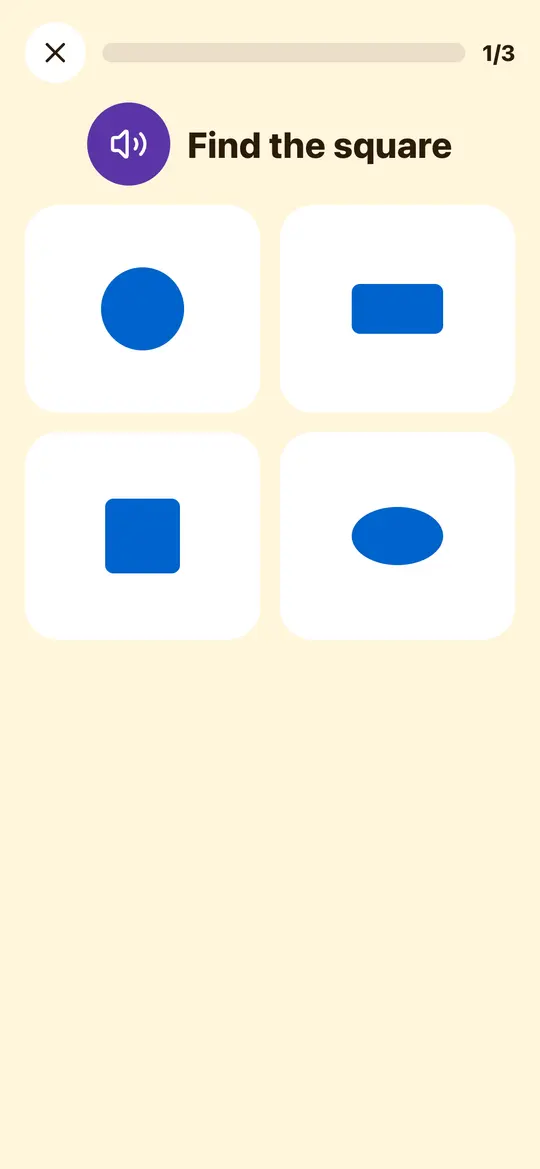
A Kids Space lesson question from the Shapes course: find the square among four shapes, with a read-aloud button

Lessons

Short lessons that build early skills, matched to the level you pick.

  • Letters in English and Arabic, plus Urdu letters when the app is in Urdu
  • Counting to 20, more and fewer, and shapes
  • Good manners, and keeping clean and tidy
  • Money basics: spend, save and give (from the Explorer level)
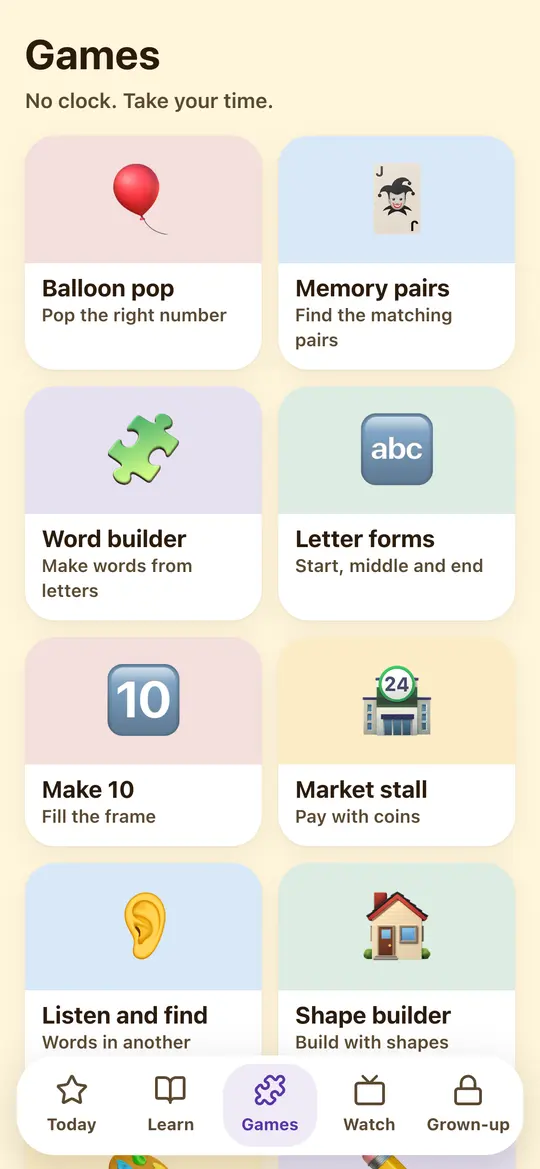
Kids Space games list, with no clock and no timers

Games and stories

Calm games with no clock, so your child can take their time.

  • Balloon pop, memory pairs, shape builder, colour sort, tracing, and drag and sort
  • Picture stories that can be read aloud
  • Videos only from the list you approved, watched together after you enter your PIN
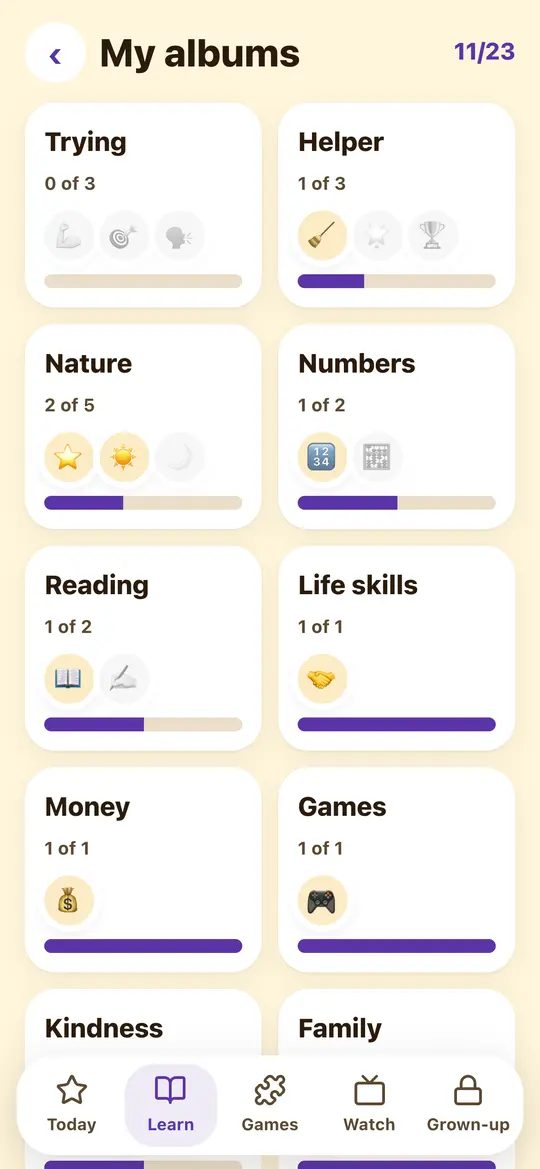
Kids Space sticker albums such as Helper, Nature, Numbers and Money, with 11 of 23 stickers collected

Missions, stickers and a pet

Small goals that make good habits feel like play.

  • Missions you write, each worth coins
  • Sticker albums that fill up by trying, not by being fast
  • A pet to look after, which levels up along the way
  • Voice notes from you, deleted once played or after 7 days at most

What you control

Everything in Kids Space is set from your own account, and your limits always win.

  • Do this, then that

    Rules that unlock game or video time, coins or a pet treat after a mission, a lesson, a game or a phrase said aloud. Each rule pays once a day.

  • Daily time limit

    Choose how many minutes Kids Space can be used each day. No rule can go past it.

  • Quiet hours

    Kids Space closes during the hours you choose, such as bedtime.

  • Videos you approve

    You add YouTube videos or playlists yourself. Your child sees only that list, with no search, suggestions or comments, and a video plays only after you enter your PIN, so you watch together.

  • What the space shows

    Turn missions, lessons and games, videos and coins on or off, and pick the lesson subjects and level. Prayer stars and Quran reading are optional.

  • A PIN to leave

    Your 4-digit grown-up PIN opens settings, and the Leave button asks for it.

Safety and privacy

  • Your child has no account and never signs in
  • Kids Space does not ask for a child's name, age, birthday, photo, email, school or location. A nickname is optional, and only you see it
  • No ads, and no advertising or analytics trackers
  • Speech is recognised on the phone only. It is never recorded or sent
  • Your voice notes are deleted once played, or after 7 days at most
  • Only what happens inside Kids Space is counted. The app does not read messages, browsing or other apps
  • Kids Space information is not used for advertising and is not sent to the AI provider
  • Delete a Kids Space at any time, and its information is erased

A parent or guardian agrees before a Kids Space is created.

Read the Children section of the privacy policy

How to start

Setting up takes a couple of minutes, from your own phone.

  1. Install Zakifi and create your account. Accounts are for adults aged 18 or over.
  2. Tap Set up Kids Space on the Home screen, or open Family, then Kids Spaces, and tap Create a Kids Space. Kids Space is also first in More, and on Android you can long-press the Zakifi icon to open it.
  3. Pick a look and a level, add a nickname if you like, set a 4-digit PIN, and agree as the parent or guardian.
  4. Hand your phone to your child, or connect your child's own phone with the 6-digit code from your phone.

If you turned Family off, turn it on again in Settings first.

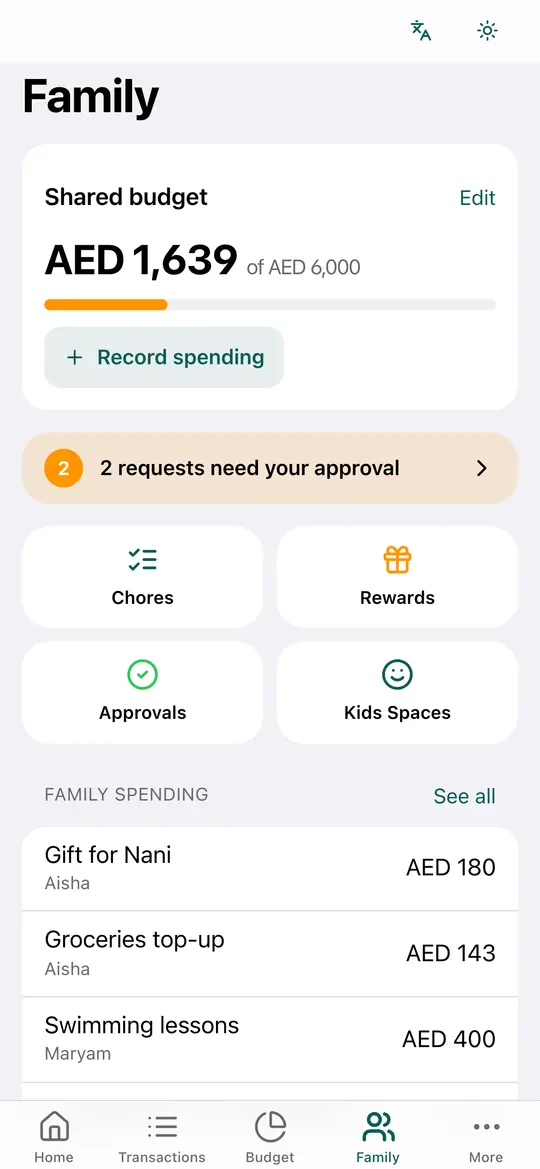
Family screen showing the shared family budget, requests waiting for approval, and shortcuts to chores, rewards, approvals and Kids Spaces

Questions from parents

Does my child need an account or an email?

No. You create Kids Space from your own account. Your child never signs up or signs in, and Kids Space does not ask for their name, age, birthday, photo, email, school or location.

Can my child use Kids Space on their own phone?

Yes. Kids Space runs on your phone, or on your child's phone or tablet once you pair it with a 6-digit code from your phone. The code expires after 10 minutes.

How do videos work?

You add YouTube videos or playlists, and your child sees only your list. A video plays only after you enter your PIN on your child's device, in YouTube's privacy-enhanced player, so you watch together.

Does Kids Space listen to my child?

Only after a tap on the button, and only with the phone's own on-device speech recognition. The audio and the words stay on the phone and are never recorded or sent. If the phone cannot recognise the language on the device, Kids Space does not listen, and a grown-up can confirm with the PIN instead.

How does my child leave Kids Space?

The Leave button asks for the grown-up PIN. On Android you can also make Kids Space the home screen, so the home button does not take your child out of it.

Is Kids Space free, and are there ads?

It is free, like the rest of Zakifi, with no paid features, no ads and no advertising or analytics trackers.

What does Kids Space store?

Your settings, the missions you write, approved video links, your rules, simple daily counts such as minutes, lessons and games, and progress such as stickers and the pet's level. It all belongs to your account and is kept until you delete the space or your account.

Does Kids Space move real money?

No. Coins are points inside Kids Space only. Zakifi does not move real money.

Set up Kids Space for your child

Zakifi is free, with no ads, in English, Arabic and Urdu.

Coming soon on Google Play